

For
Workplace signage for small and mid-sized manufacturers
GenbaTerrace
Light up the shop floor. A notice board that never goes stale.
Accident-free days, heat index, production progress and notices, on the TV at the entrance or in the break room. Just edit a spreadsheet. Board design and redesigns are included in the monthly fee.
Notice boards
quietly go stale.
Later.
Updates stall
When the person in charge gets busy, updating the board gets pushed back. Old numbers and finished notices stay up.
¥20k–500k
Design firms cost a lot
Having a firm design a board costs ¥20,000 to ¥500,000. Every change costs thousands to tens of thousands of yen more, so changes don't happen.
Re-typing
Copying numbers is a chore
Numbers you already keep in a spreadsheet get copied again onto paper or slides just to post them. That extra step is what stops the updates.
What the board shows
The numbers your floor checks every day,
on one TV.
Clock, date and weather appear automatically. The sample below is a board for the entrance of a metal-pressing plant.
Accident-free days
The streak, front and center.
Large enough to read from across the entrance or break room. How the days are counted (for example, from a start date) is decided during setup.
Heat index (WBGT)
Today's heat, readable from afar.
The value from your own meter and its level (Caution, Warning and so on), in type you can read from a distance. Just enter the value in the sheet.
Production progress
Your usual table, as is.
Targets and actuals for each machine, laid out just like the table you already use. No more copying onto paper or slides.
Notices
One line, from your phone.
Add notices from the admin screen on a phone or PC. They disappear on their own when they expire, so finished notices don't linger.
How you update it
Just edit
the spreadsheet.
Example: add the row “Production / 5S inspection / 11/20” to the notices table in the spreadsheet, and it appears at the top of the notices on the board.
Step 1
Write in your usual sheet
Enter numbers and lists in Google Sheets, the way you already do.
Step 2
We handle the first link-up
Which range of which sheet goes where on the board: we set that up for you at the start.
Step 3
Change the sheet, the board follows
What you change shows up on the board. No need to go to the TV.
Google Sheets is supported today. Excel tables work once imported into Google Sheets. Notices can also be added from the admin screen on a phone or PC. GenbaTerrace runs on the same delivery system as KimiTeras, our signage for schools.
Samples by industry
Designed for your industry
and where the screen goes.
Same system every time. Only the items and their layout change.
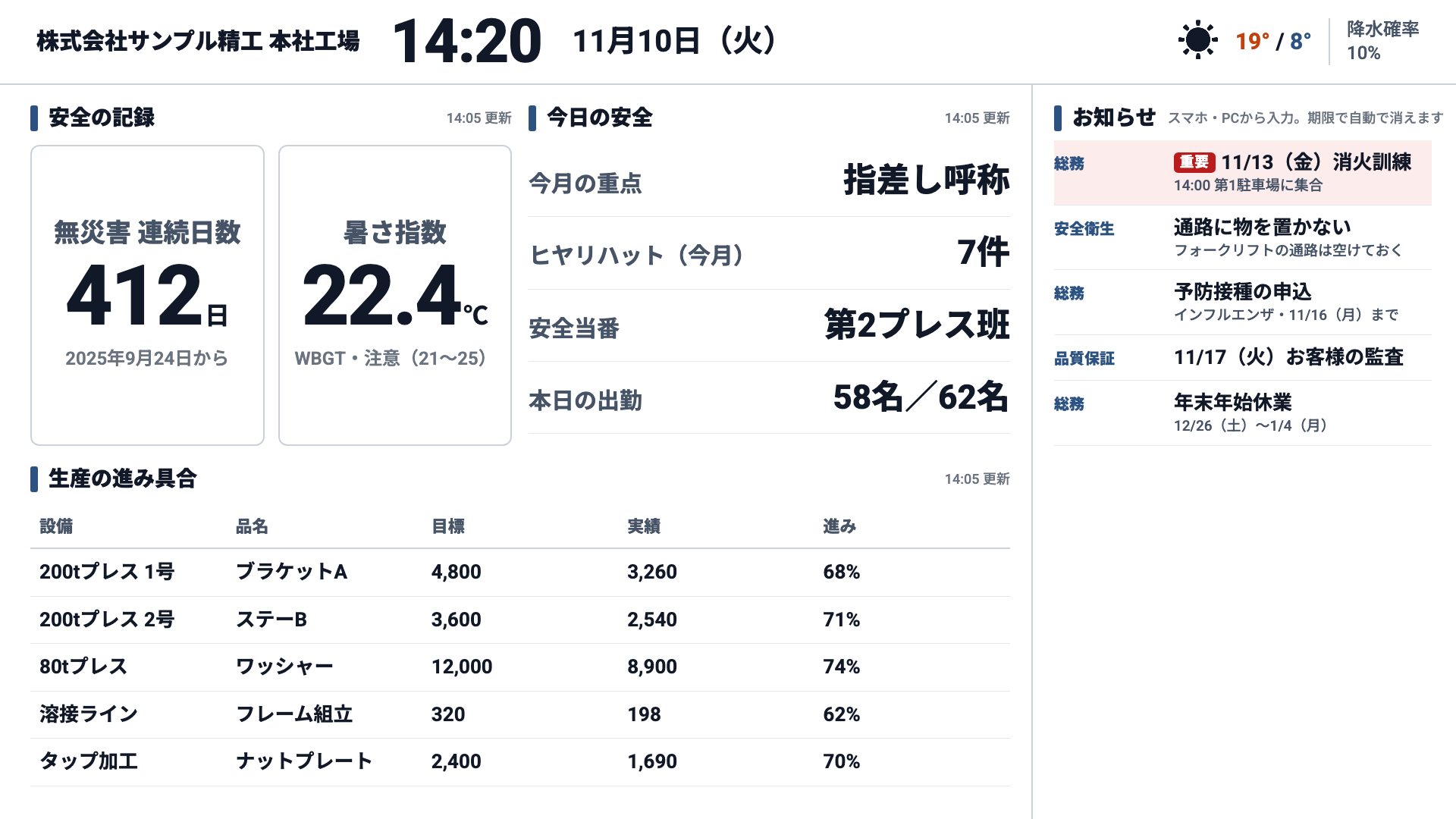
Metal pressingPlant entrance
Accident-free days, heat index, and production progress by machine
Samples shown in Japanese. Your own items and notices can be written in English.
Screenshots of the actual board, filled with a fictional company's data. All names and numbers are fictional. Tap an image to enlarge.
Setup
Plug it into the TV.
Turn it on.
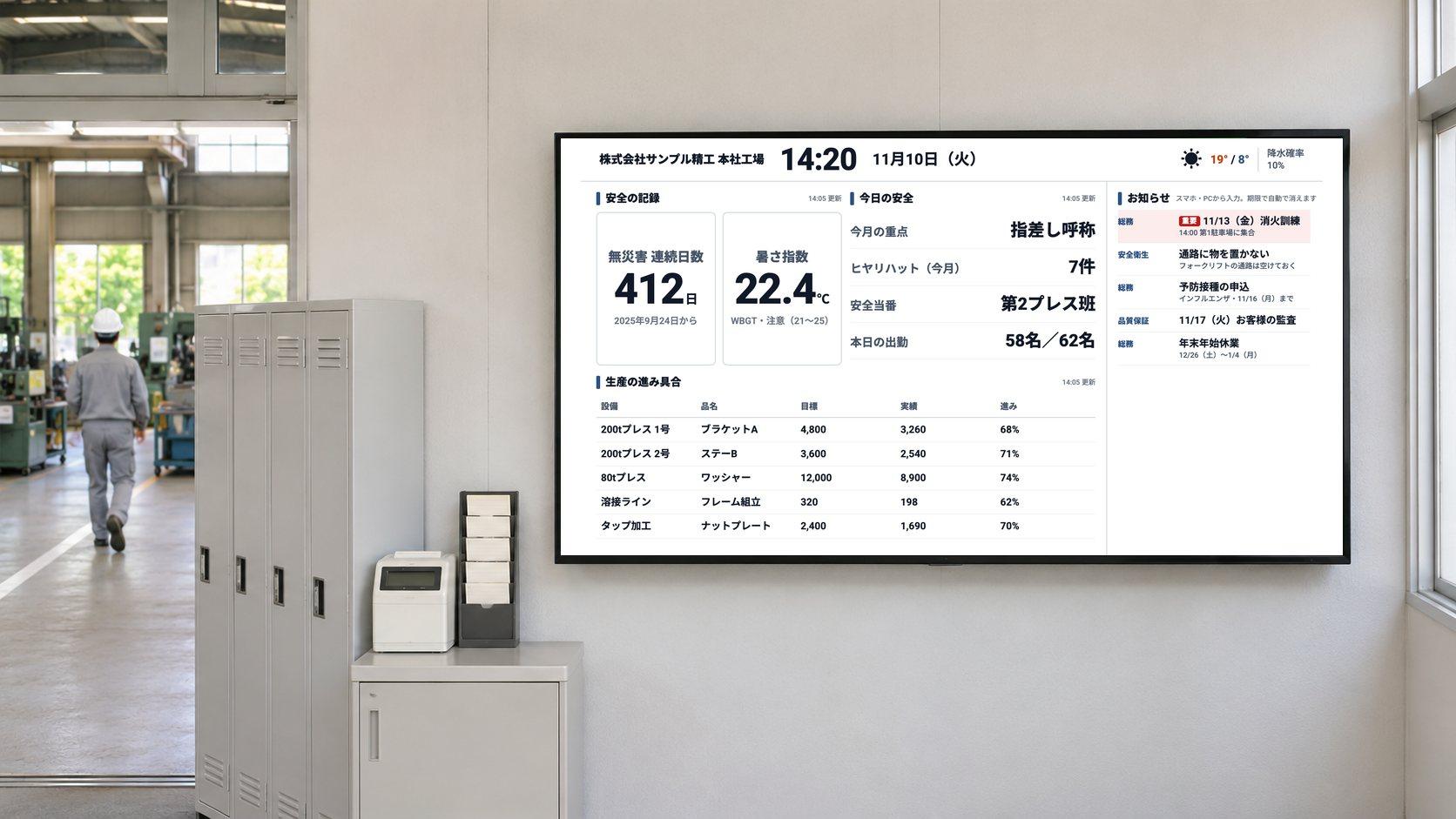
We ship a device that's already set up. Any TV with an HDMI port works, including the one you have. On-site installation is also available in Gifu, Aichi and Mie.
Pricing
Design and redesigns,
in the monthly fee.
All prices exclude tax.
Initial fee (per contract)
¥50,000
Design of one board (interview → first draft → up to two rounds of revisions), linking one spreadsheet, and device setup.
Monthly
¥8,000/screen
Delivery and the admin screen, motion-sensor counts, and troubleshooting. Includes one board redesign per screen per month.
Equipment
At cost
Google TV device and motion sensor. You can use a TV you already have.
| Redesigns beyond the monthly allowance | ¥10,000 each |
|---|---|
| Add a board with a different layout | ¥30,000 per board |
| Connect a second or further spreadsheet | ¥10,000 per sheet |
| On-site installation (Gifu, Aichi and Mie; weekends) | ¥10,000 per visit + travel |
1 screen, minimum term (6 months): initial fee ¥50,000 + ¥8,000/month × 6 = ¥98,000 (excl. tax). Equipment is charged at cost on top of this.
- • Board redesigns are included up to the number of screens each month (3 screens, 3 per month). Unused redesigns don't carry over.
- • The initial fee is charged once per contract: a second screen showing the same board adds only its monthly fee. A different board is ¥30,000 each.
- • Minimum term is 6 months, then month to month.
- • Data links to production equipment or core systems, and video shooting and editing, are quoted separately.
Compared with hiring a design firm
No new quote
every time you change it.
Typical signage charges separately for the software (monthly) and the board design (per job). GenbaTerrace includes board design and redesigns in the price. Compare the total including the cost of changes, not just the monthly fee.
Board design (one board)
Design firm and signage software, contracted separately
¥20,000–500,000
GenbaTerrace
Included in the ¥50,000 initial fee
Changes to the board
Design firm and signage software, contracted separately
Thousands to tens of thousands of yen per change
GenbaTerrace
1 per screen per month, included
Monthly fee
Design firm and signage software, contracted separately
Software around ¥2,000–8,000/screen/month, plus a fee for each change
GenbaTerrace
¥8,000/screen/month
Competitor prices are from published price lists and typical design rates, researched by us (as of November 2026).
From first call to go-live
Start with one sample board.
STEP 1
Consultation
A 30-minute online call. We ask what you want to show and where the screen will go.
STEP 2
We send a sample
From what you tell us, we make one sample board for your company.
STEP 3
Sign up
You sign up only once you're happy with the content and the price.
STEP 4
Board design
Interview → first draft → up to two rounds of revisions. We link your sheet at this stage.
STEP 5
Device shipped
We ship a device that's already set up. Plug it into the TV's HDMI port and turn it on.
STEP 6
Go live
Update content from the sheet and the admin screen. Ask for redesigns within your monthly fee.
FAQ
Do we need to provide a TV?
Any TV with an HDMI port works, including one you already have. If you don't have one, we can source it at cost. The device that connects to the TV (Google TV) is charged at cost.
Can it show numbers we keep in Excel?
Today it reads from Google Sheets. Excel tables work as they are once imported into Google Sheets. Connecting a second or further sheet is ¥10,000 per sheet.
What if we want to change the board's design?
Board redesigns (adding or removing items, layout, colors, seasonal changes and so on) are included in the monthly fee, up to the number of screens each month (3 screens, 3 per month). One request counts as one redesign however many changes it contains, and we apply it within 5 business days of receiving it. Unused redesigns don't carry over to the next month. Extra redesigns are ¥10,000 each; adding a board with a different layout is ¥30,000.
Is there a limit on changing text and numbers?
No. You can change text, numbers and images yourself, as often as you like, from the sheet or the admin screen. Only redesigns that change the look or structure, such as items, layout or colors, count toward the limit.
Do we need a network at the plant?
The device connected to the TV needs internet access (Wi-Fi or wired). Editing the sheet uses a Google account. If your company has network rules, we'll go over them during the consultation.
Is there a minimum contract term?
The minimum is 6 months, then month to month. To cancel, let us know by the end of the previous month.
Can you come and install it?
Normally we ship the device and you plug it into the TV. On-site installation is available for ¥10,000 per visit plus travel (Gifu, Aichi and Mie; weekends).
GenbaTerrace
Start with a sample
of your own board.
Tell us what you want to show and where, and we'll make one sample board for your company and send it to you. The booking page is in Japanese; if you'd rather, just email us.
For small and mid-sized manufacturers / Provided by Rebounder Co., Ltd. (operator of KimiTeras, signage for schools)